OpenAI launches ChatGPT Images 2.5 with faster generation and Sketch feature
OpenAI released ChatGPT Images 2.5 on September 8, 2026, claiming up to 50% lower generation latency versus Images 2.0, improved instruction-following across multiple turns, and better preservation of subjects in reference photos. The update adds a Sketch feature (activated via @Sketch) for drawing inside ChatGPT, inline comments on image parts, new API model IDs gpt-image-2.5-sunburst and gpt-image-2.5-flare, and xhigh/max quality tiers with a maximum output of 3840px.
Coverage timeline
OpenAI Blog
ChatGPT Images 2.5 helps turn your ideas, sketches, and reference photos into more personalized, polished images that better reflect your ideas.
Techmeme
Ina Fried / Axios : OpenAI launches ChatGPT Images 2.5, which it says cuts image generation latency by up to 50% vs. Images 2.0, and adds a Sketch feature for drawing in ChatGPT — OpenAI is launching ChatGPT Images 2.5 on Tuesday, the company shared first with Axios. … - The new model can generate images up to 50 percent faster, OpenAI says.

The Verge AIJay Peters
I used ChatGPT and its Sketch tool to make this AI-generated image of a cat. OpenAI announced ChatGPT Images 2.5 on Tuesday and is adding a new way to tell ChatGPT what you want it to make an image of: by drawing a doodle. With a new feature called Sketch, you can just draw something right inside ChatGPT and then tell ChatGPT how you want it to make an image based on that sketch. You can activate the Sketch feature by typing @Sketch into your chat box, and a window will pop up where you can make your drawing. I briefly tested it, and it successfully turned my bad doodle of a cat that I drew with my computer mouse into a realistic photo, per my instructions. You can also now leave comments directly on parts of images … Read the full story at The Verge.

Simon Willison
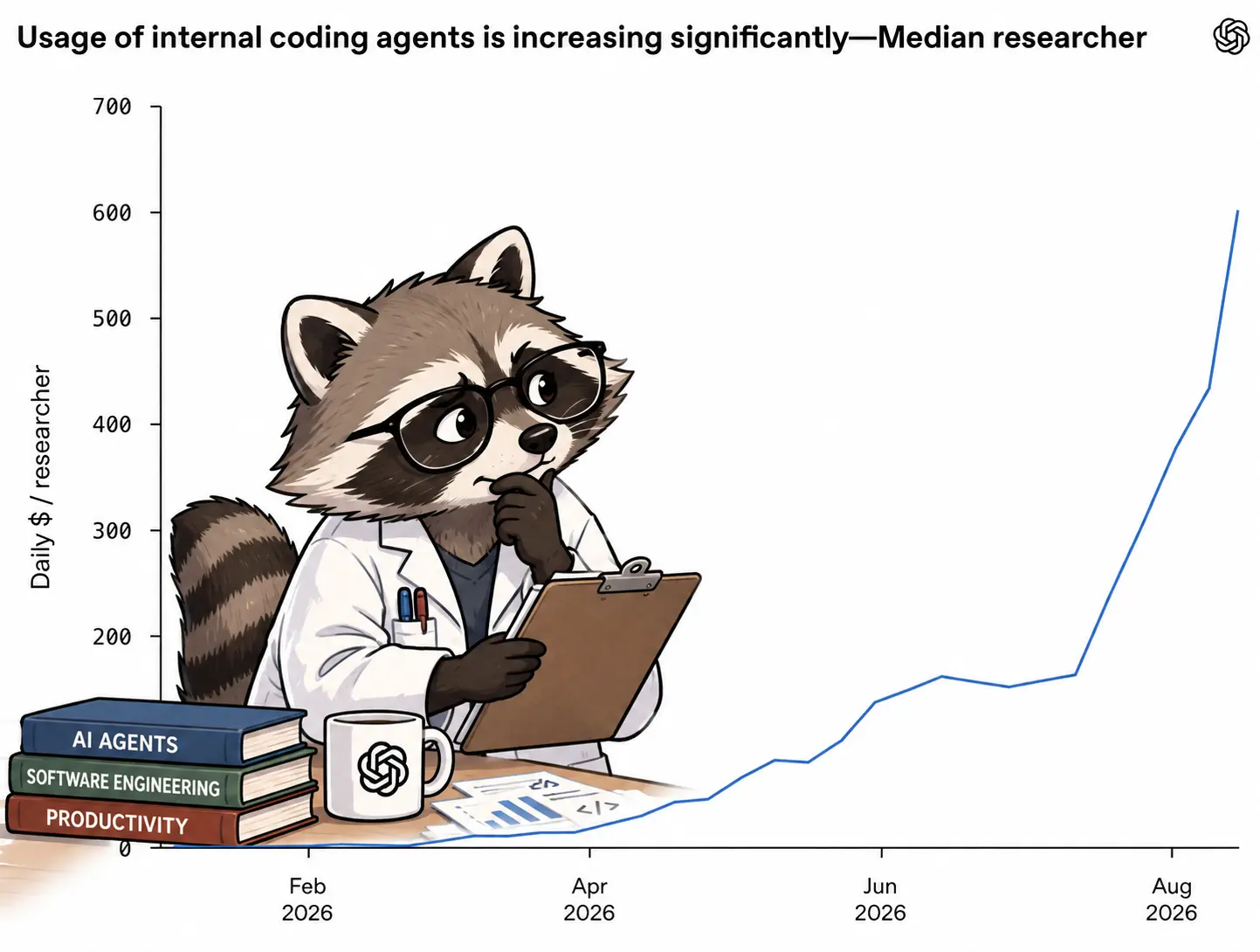
Introducing ChatGPT Images 2.5 OpenAI's image generation models are apparently used "more than 3 billion images across ChatGPT Images and the GPT‑Image models in the API". This latest release improves their instruction-following ability across multiple turns, responds faster, and "is better at preserving the subjects in your reference photos". There are two new model IDs in the API: gpt-image-2.5-sunburst and gpt-image-2.5-flare . Based on this I think Sunburst is the stronger option: Choose Sunburst for workflows where editing precision matters most, and Flare for fast, high-quality everyday image generation. I upgraded my openai_image.py CLI tool to support passing in one or more reference images, so now this works: uv run https://tools.simonwillison.net/python/openai_image.py \ ' add a raccoon scientist studying the chart thoughtfully ' \ -i https://static.simonwillison.net/static/2026/openai-agent-usage.webp \ -m gpt-image-2.5-sunburst This is the original image , and here's what I
量子位量子位
AGI时代的第一个生图模型,ChatGPT Images 2.5上线 henry 2026-09-10 15:25:39 来源: 量子位 主打生成更快,细节更好,改图也终于越来越像“真·修图”了。 henry 发自 凹非寺 量子位 | 公众号 QbitAI 来来来,说多模态路边一条,不是AGI的都来排队道歉(doge)。 在喊出“AGI时代来了”之后,你奥特曼叔叔搬出来的第一个东西,就是多模态! 刚刚,OpenAI发布新一代生图模型, ChatGPT Images 2.5 ,主打生成更快,细节更好,改图也终于越来越像“真·修图”了。 按照OpenAI的说法,这次升级可以先划四个重点: 生图更快,相比Images 2.0,生成延迟最多降低50%; 画面更自然,参考照片里的人和物更容易保住原本的特征; 连续修改多轮,前面改好的细节更容易保持一致; 支持直接在图片上添加批注,告诉AI具体要改哪里。 除此之外,这次还有一个我觉得相当实用的新玩法—— 直接拿草图当参考图。 这个东西非常适合一种情况: 脑子里大概知道自己想要什么构图,但一时半会儿又找不到合适的参考图。 现在可以直接在对话框里@Sketch,自己画。 只要用鼠标(或者随便什么)画一张草图,再补充你想要的风格和细节,GPT就会把它作为视觉参考,生成完整图片。 非常好用(就离谱)。 一如既往,对于懒人,OpenAI也准备了一套新的模板,直接套就完事了。 By the way,现在GPT终于支持看百分比的生成进度了,不用再问“在吗”看网断没断了! 重点补的是细节和“别乱动” 如果说上面这些是功能层面的变化,那么从这次技术博客来看,相比4个半月前发布的GPT Image 2,Images 2.5真正值得看的升级,还是 生成质量和编辑稳定性本身 。 Images 2.5并没有单纯继续往上堆输出分辨率,最高依然是3840px,但新增了 xhigh和max质量档位 ,进一步提升细节、材质纹理、光照,以及参考主体的保真度。 比如官方这张Demo。 给小孩哥换了一身衣服之后,脸部基本没怎么漂,尤其是原图里卷发那种稍微有点毛躁的质感,保留得相当完整。 但你要硬说,这张给小狗换的还是有点没那么……完美。 主体确实改对了,但仔细看影子,后背轮廓似乎还是保留了原来的形状。 按理说,穿上衣服后,影子的后背也应该变平滑。 但像下面这种,把原始
Related stories
OpenAI adds virtual try-on and Favorites shopping features to ChatGPT
OpenAI is rolling out two new shopping features for ChatGPT: a virtual try-on tool that lets users see clothing and accessories on their own photos, and a Favorites feature that saves products to a user's Library. The move continues OpenAI's experimentation with using ChatGPT to assist online shopping.
2 reports · 2 sources
OpenAI expands ChatGPT plugins with app-like interfaces, automations, and Plugin Creator tool
OpenAI announced an expansion of ChatGPT plugins, introducing dedicated sidebar homes, interactive panels, file viewers, improved discovery, and support for automations. The update also includes a Plugin Creator tool and MCP Events support for plugin automations, positioning ChatGPT to compete more directly with productivity software.
OpenAI launches office suite features for ChatGPT, competing with Microsoft
OpenAI announced a new suite of office features for ChatGPT, positioning it in more direct competition with traditional software companies like Microsoft. The announcement was made on September 29, 2026, according to TechCrunch.
1 reports · 1 sources
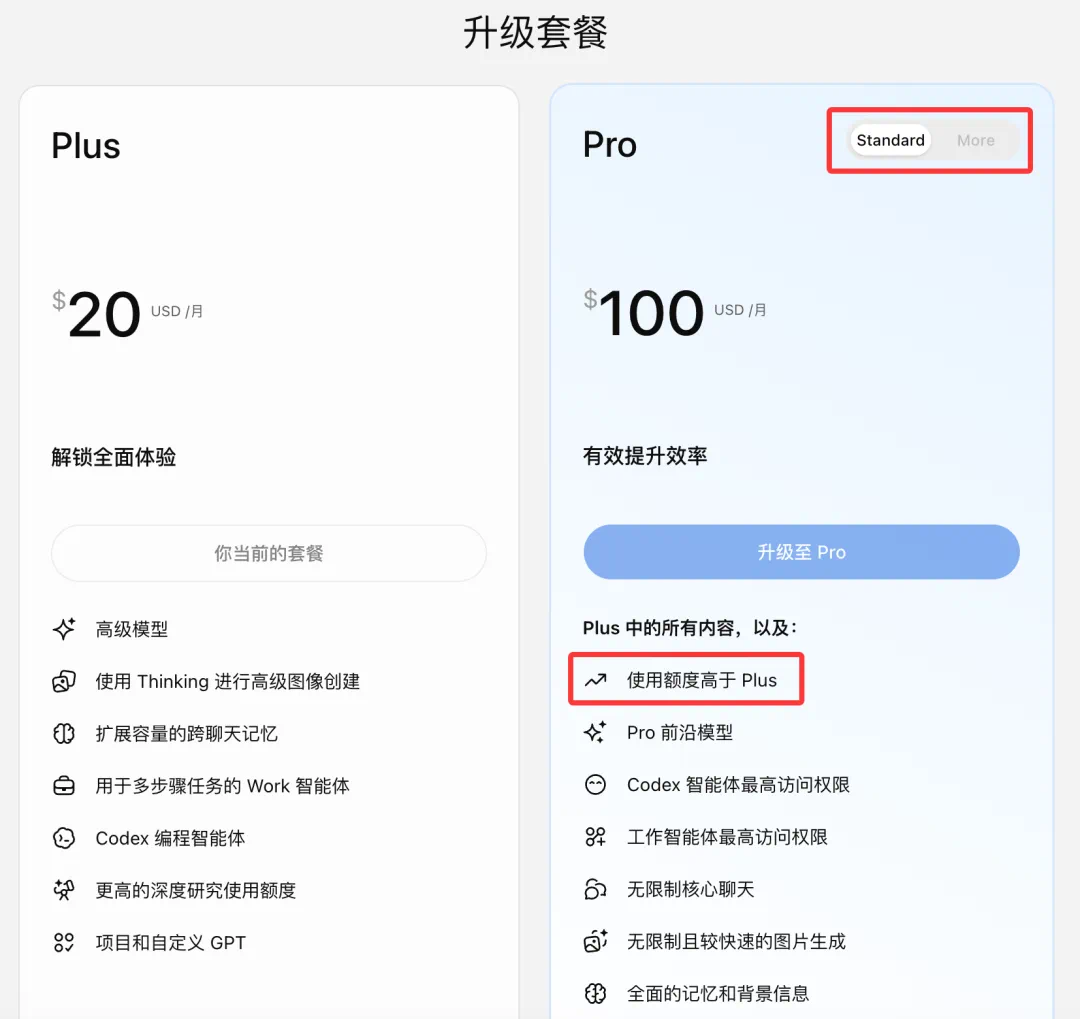
OpenAI Quietly Revamps ChatGPT Pro Tiers, Drops 5x/20x Usage Multipliers, Adds Pro Max
As of September 28, 2026, OpenAI has updated its ChatGPT pricing page, renaming the $100/month and $200/month Pro plans to 'Pro Standard' and 'Pro More' respectively, and removing the explicit '5x more usage than Plus' and '20x more usage than Plus' descriptions in favor of a vague 'More usage than Plus'. A code change merged on September 25 added a new 'Pro (Max)' plan type, with leaked in-app strings suggesting a $500/month price and the description 'Fastest Work and Codex'. The changes suggest OpenAI is restructuring its tier framework to accommodate a third Pro level.
1 reports · 1 sources
News updates every hour. Subscribe in your RSS reader to get new stories automatically.
Subscribe